Manage companies in the CRM
Company records are at the core of your CRM. They centralize everything you know about the businesses you interact with: prospects, customers, partners or any other relationship that matters to your activity.
A well filled company record helps you track your exchanges, retrieve information quickly and work more effectively as a team.
Create a company
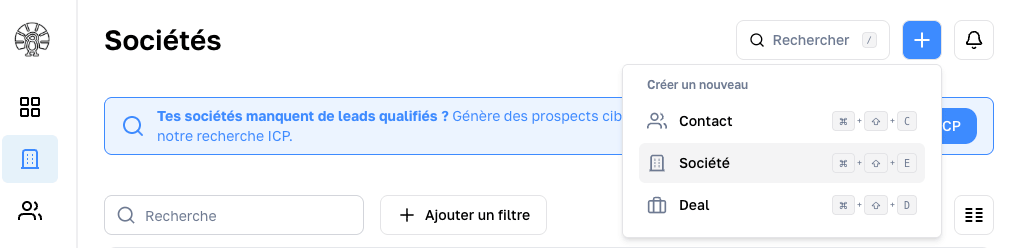
You can create a company manually at any time from your CRM using the quick action button.
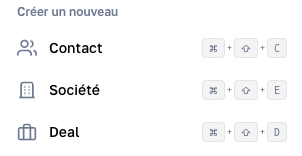
You can also add a company (E for Enterprise) using the matching keyboard shortcut.
Charik CRM lets you create a company directly with the essential details:
- Name*
- Website
- Country
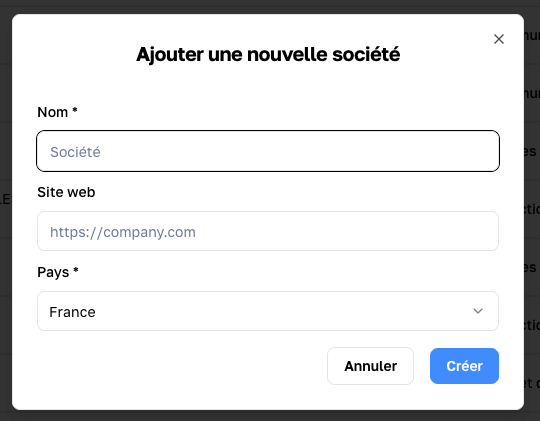
You do not have to fill every field from the start. Begin with the essentials, then complete the record as your exchanges progress.
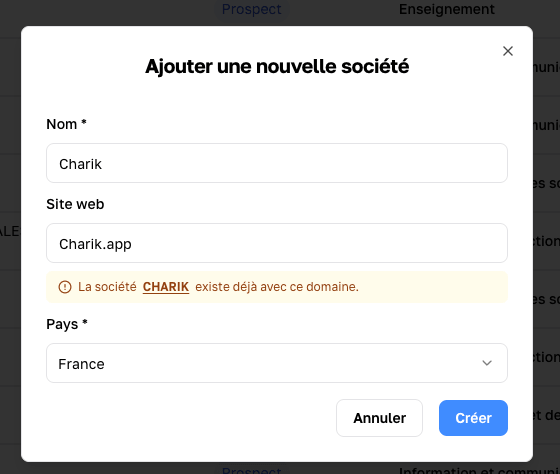
Within Charik, only one company can exist with a given domain name.
Once the company is created, you are taken to the matching record.
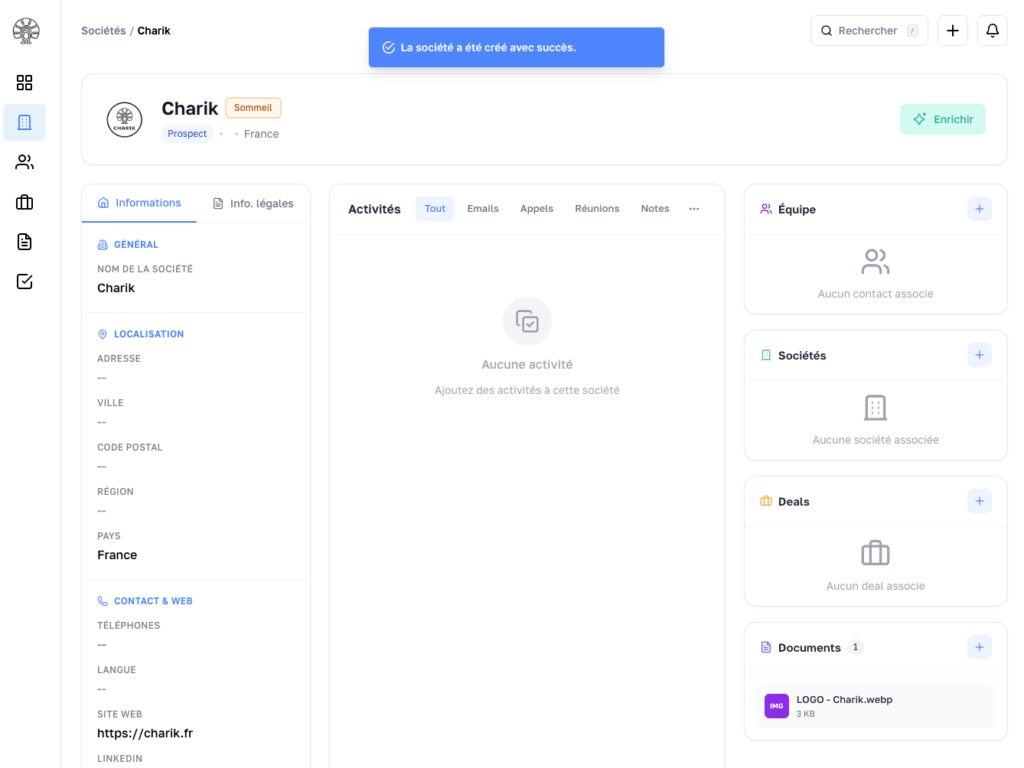
Edit a company record
A company record evolves over time. Update it whenever needed to keep a reliable and usable database.
For example, you can:
- fix an address
- add a phone number
- update social profiles
- …
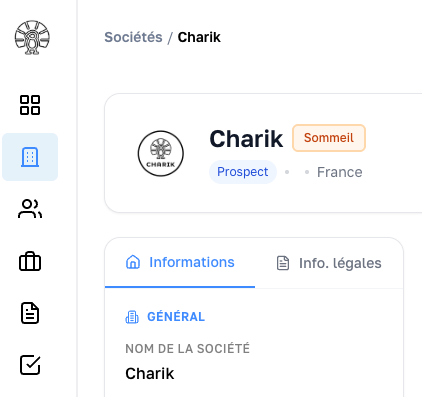
All company information can be edited in the left column, including:
- Information: standard details such as address, website, social profiles, and more
- Legal info: all legal data about the company such as its SIREN/SIRET, NAF code, industry, legal form, incorporation date, headcount, and more
View a company’s activity
A company itself does not generate activity, but it gathers the activity of the contacts linked to it.
In the central section of the record you will therefore find the activity of the company’s contacts:
- notes
- calls
- emails
- tasks
- meetings
This activity feed keeps the context intact, even when several team members have handled the same contact over time.
Link a company to a contact, a deal and more
To keep as much context as possible in B2B, a company can and should be linked to contacts (the team), deals and sometimes other companies, as is the case with subsidiaries.
The right column of the screen lets you:
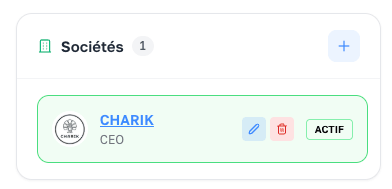
- Add a new association using the “+”
- Qualify the relationship using the pencil icon
- Open a quick view of the linked company or deal by clicking on its tile
- Jump straight to the linked item by clicking on its name
- Remove the relationship by clicking on the trash icon
Each relationship can be qualified based on the objects that are linked together.
Search and find a company
See the Search and filters page.
Enrich a company
See the Enrich a company page.
Avoid duplicates
Duplicates are one of the most common issues in a CRM. They complicate sales tracking, distort reporting and can harm your team’s experience.
To prevent them, our CRM uses the domain name as a unique identifier.
A clean database is more useful than a large but disorganized one.
Best practices
To manage your companies well, we recommend that you:
- fill at least the essential fields
- update records regularly
- link contacts to the right company
- log important information after every exchange
- limit duplicate creation
- align practices across the team
Common issues
I have several records for the same company
A duplicate was likely created. Keep the most complete record and move any useful information into it.
Some information is missing
Not every record is complete from the start. What matters is starting with a reliable minimum baseline, then enriching the data over time.
Go further
To speed up company creation and keep clean records, explore automatic company enrichment from French public data.