Structuring your sales pipeline
The sales pipeline lets you visualize ongoing opportunities and track their progress through your sales cycle.
When well organized, it helps you understand where every deal stands, prioritize your actions and keep a clear view of your commercial activity.
A pipeline does not need to be complex to be useful. Above all, it must be readable, consistent and aligned with the way you actually sell.
What a pipeline is for
The pipeline turns a list of opportunities into a clear process.
In particular, it lets you:
- visualize deals in progress
- see which opportunities are moving forward
- identify sticking points
- better forecast upcoming activity
- allocate sales work more efficiently
Without a structured pipeline, opportunities often stay scattered and hard to steer.
Defining pipeline stages
The first step is to define the main phases of your sales cycle.
These stages should be simple to understand and reflect the reality of how you sell. For example, they can match:
- a first contact
- a qualification
- a demo or discovery call
- a proposal sent
- a negotiation
- a deal won or lost
Each company can adapt these stages to the way it works. The important thing is to avoid a pipeline that is either too detailed or too vague.
To define your stages, go to Settings > Pipelines & stages and click “Manage”.
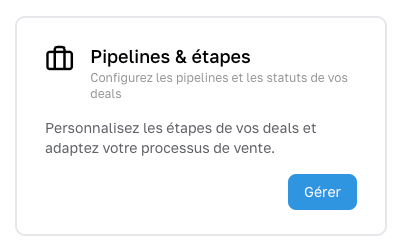
You can then:
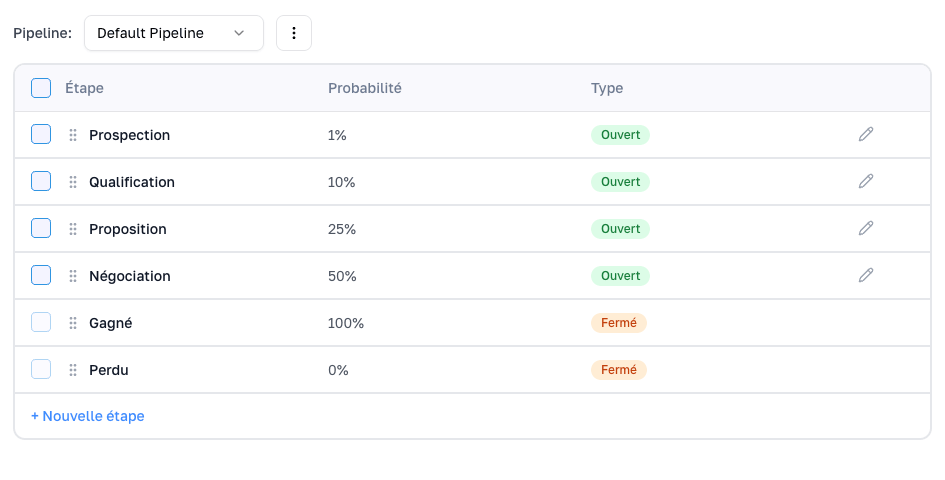
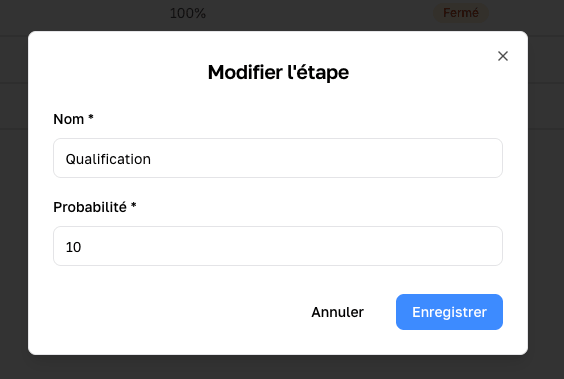
- reorder your stages,
- rename them,
- add or remove stages
- set the win probability (if you close a quarter of the deals that reliably reach stage 3, then its probability is 25%).
Moving an opportunity forward
Move a deal by drag and drop in the pipeline

From the pipeline view in Gantt mode, you can move a deal forward simply by dragging and dropping it from one stage to another. It is the most visual way to update your pipeline quickly and reorganize opportunities at a glance. It is especially useful when you want to work through several deals in a row and keep a clear view of their progress.
Be careful not to click on the name of the deal, which would open it. Clicking anywhere else on the deal card lets you move it.
Change a deal’s stage from the list view
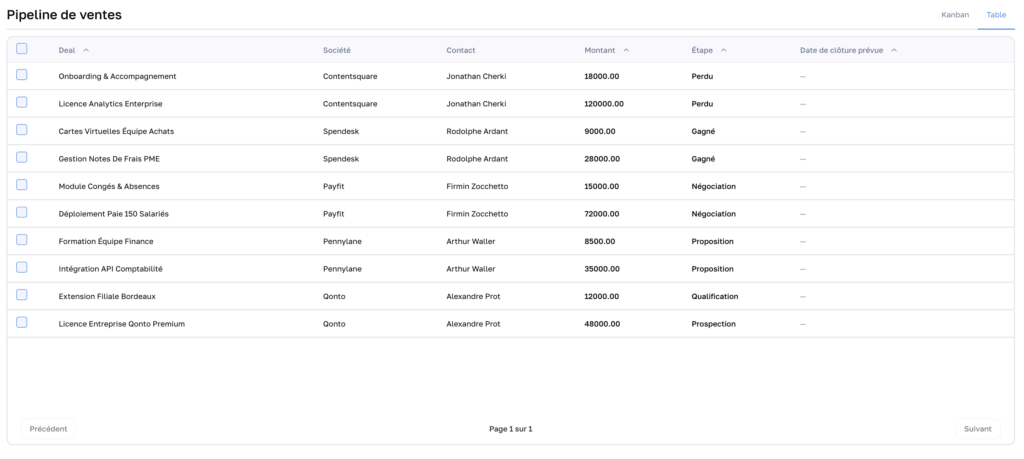
From the list view, you can also change a deal’s stage without opening its full record. This option is handy for quick updates, especially when working on several opportunities at once. It saves time while keeping a structured overview of your deals.
Change the stage directly from the deal page
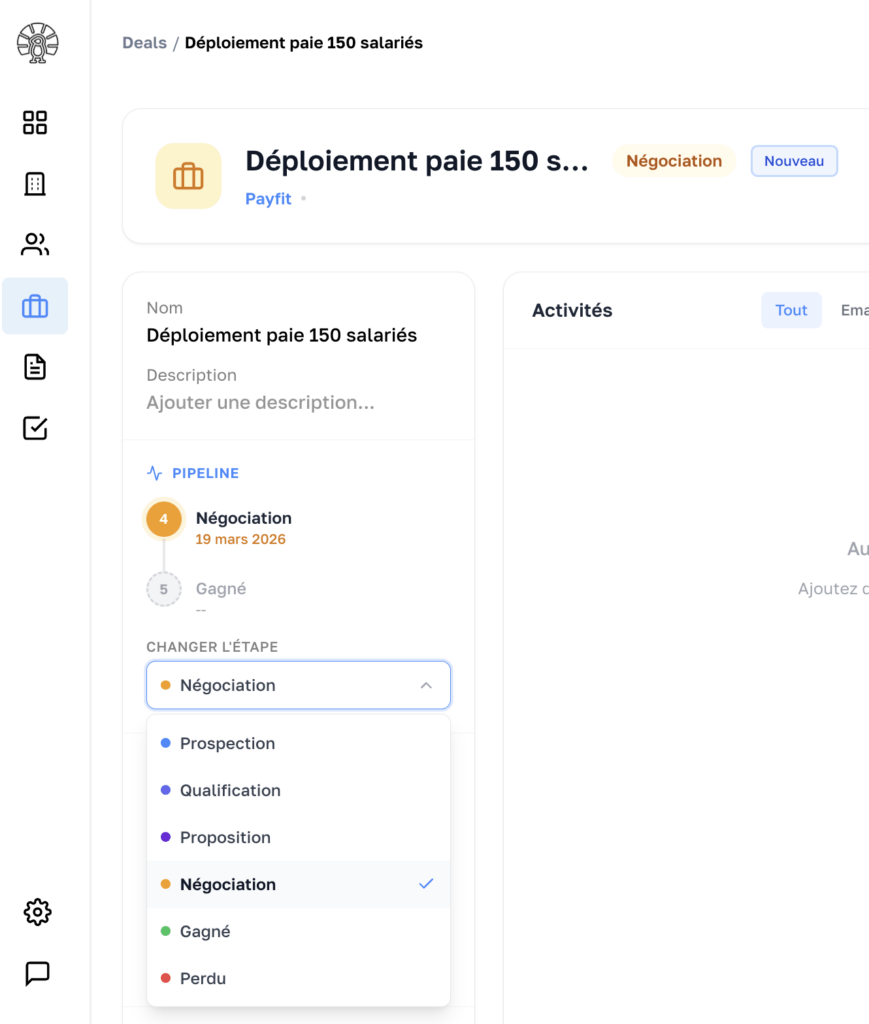
Finally, you can update a deal’s stage directly from its dedicated page. This method is useful when you need to review the details of the opportunity before moving it along the pipeline. It lets you change the stage while keeping access to all the information, notes and context tied to the deal.
Keeping a clean pipeline
A useful pipeline is an up-to-date pipeline.
We recommend reviewing it regularly to:
- move forward opportunities that are progressing
- close the ones that are won
- close out the ones that are lost
- remove or requalify inactive deals
- check that every opportunity is in the right place
A cluttered pipeline gives a distorted view of the sales reality and gets in the way of proper steering.
Using the pipeline to steer your activity
The pipeline is not just a visual display. It is also a management tool.
It can help you:
- prepare your sales meetings
- track the progress of each salesperson
- spot the stages where deals slow down
- forecast upcoming results
- focus effort where it will have the most impact
The more regularly the pipeline is updated, the more useful it becomes for decision making.
Avoiding the most common mistakes
A few mistakes come up often when managing a pipeline:
- The first is creating too many stages, which makes tracking heavy and hard to read.
- The second is leaving old opportunities without any action, which skews the overall picture.
- The third is moving a deal forward without a clear criterion.
- The fourth is failing to close out lost deals, which artificially inflates the pipeline.
A good pipeline stays simple, realistic and alive.
Common issues
My pipeline is hard to read
It may contain too many stages or too many inactive opportunities. Simplifying the structure and cleaning up old deals usually improves readability.
I do not know when to move an opportunity to the next stage
Set simple, concrete criteria for each stage. This avoids different interpretations from one user to another.
My pipeline does not reflect reality
It usually comes down to a lack of regular updates. A pipeline is only useful when it is maintained over time.