Knowing how to create deals in your CRM is essential to run a clean sales process. Deals, sometimes called opportunities, let you track ongoing sales inside your CRM.
Each opportunity represents a concrete chance to close a sale. It brings together the information you need to follow its progress, estimate its potential, and organise the sales work around it.
Create an opportunity

Create a deal as soon as a real sales need has been identified and a genuine buying conversation is underway.
From any page of the CRM, use the quick create button and pick Deal, or use the keyboard shortcut.
A deal contains:
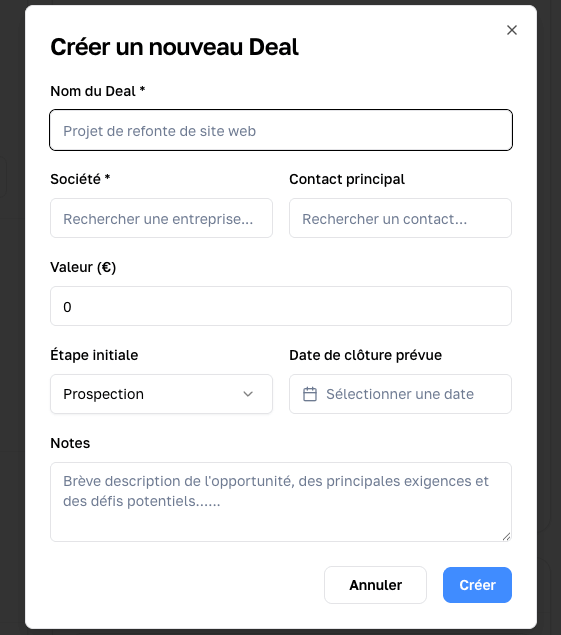
- a deal name*
- a linked company (required)*
- a primary contact
- an amount (Value)
- an initial pipeline stage
- an expected close date
- a note or description
Once you confirm the deal, you land directly on its detail page.
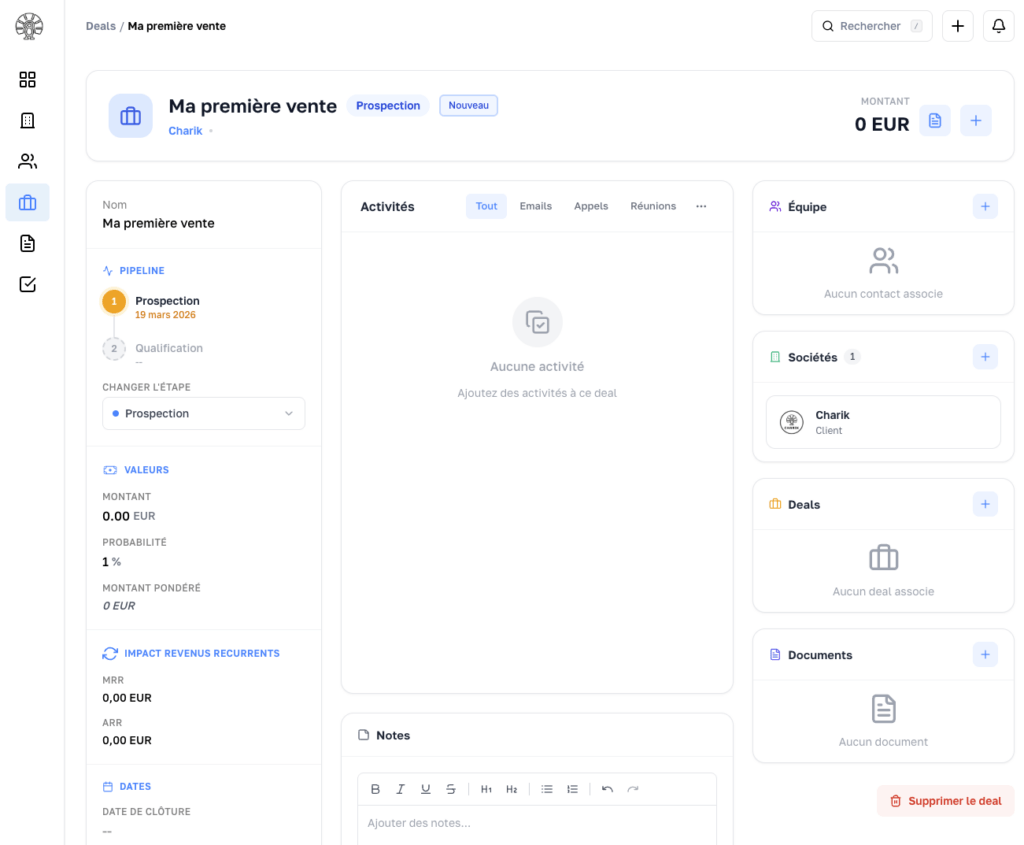
Update a deal
As the sales conversation moves forward, update the opportunity so it reflects the real situation.
For example, you can:
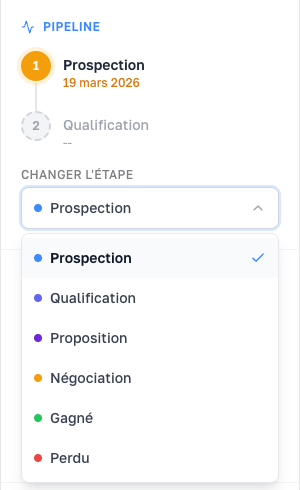
- change its stage
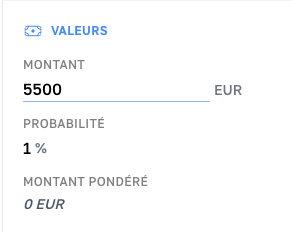
- adjust its amount
- change its expected close date
- add context
- mark the deal as won or lost
The goal is to keep a reliable view of your sales activity at any moment.
Manage your pipeline
See the Organise your sales pipeline page.