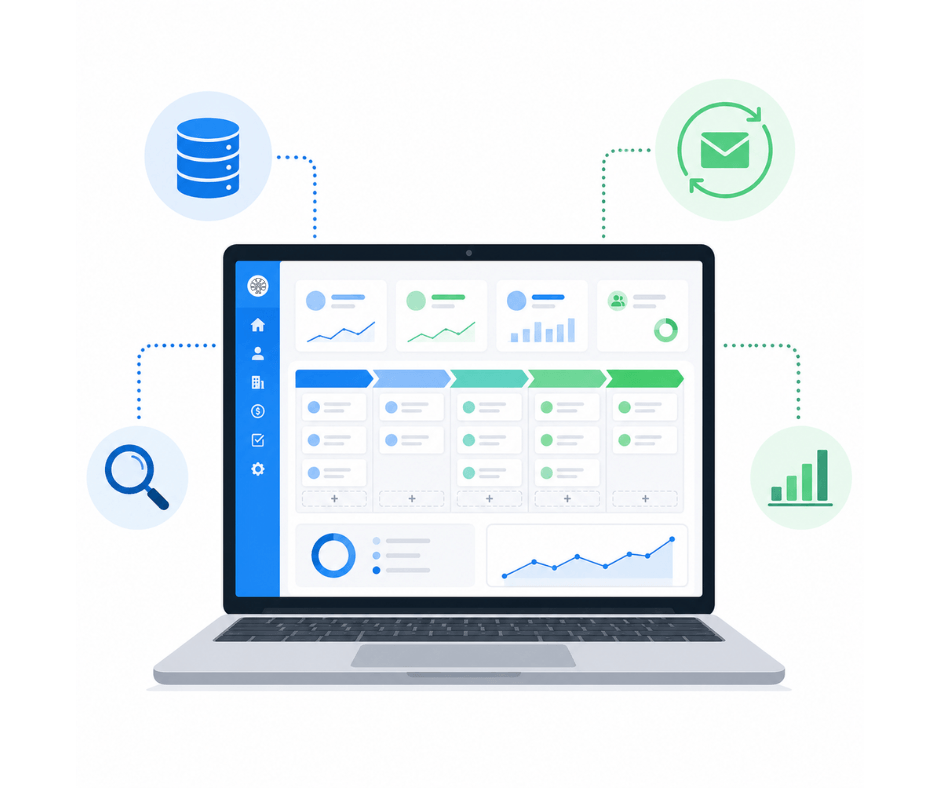
A solid sales prospecting process relies on the right tools. Not to replace the work of the salesperson, but to amplify it: finding the right contacts faster, automating follow-ups, and measuring what works.
This guide walks through the categories of tools that matter for B2B prospecting, the criteria that should drive your choice, and how to build your stack without breaking the bank.
The 5 categories of prospecting tools
Before comparing individual products, it helps to understand which functions they cover. Five categories structure the B2B sales prospecting ecosystem:
- The CRM: centralises contacts, tracks interactions, manages the pipeline
- Data enrichment: completes prospect records with the information you are missing
- Sequence automation: schedules multi-channel outbound campaigns
- Prospect research: identifies companies and contacts that match your ICP
- Analytics and reporting: measures the performance of each channel and campaign
Some tools cover a single category. Others cover several. The right mix depends on your budget, the size of the team, and how complex your prospecting process actually is.
The CRM: the foundation of any organised prospecting
What a CRM brings to prospecting
A CRM (Customer Relationship Management) is the central tool of any prospecting effort. It plays three essential roles:
- Centralise contacts: prospects, customers and partners in one place, with their full history
- Track the pipeline: see where each opportunity stands (contacted, qualified, meeting booked, proposal sent, closed)
- Schedule follow-ups: never miss a touchpoint thanks to automated reminders
Without a CRM, prospecting runs on the salesperson’s memory, a few Excel files and an inbox. That works for 20 prospects. Past that point, follow-ups slip through the cracks, duplicates start appearing, and history vanishes the moment someone leaves the team.
General-purpose CRM vs. pure prospecting tool
There are two approaches: use a general-purpose CRM that bundles prospecting features (enrichment, sequences, search), or combine a simple CRM with dedicated prospecting tools such as Lemlist, La Growth Machine, or Kaspr.
For a small or mid-sized company, the all-in-one route is often the smarter one: fewer tools to manage, no integration headaches, and a single subscription. Dedicated tools start to pay off for teams of ten or more reps who push serious volume.
What to look for in a CRM built for prospecting
- Built-in enrichment: can the CRM complete company and contact records without an external tool?
- Email sequences: can you run multi-channel campaigns straight from the CRM?
- French public data: does the CRM tap into official French sources (SIRENE, INSEE) for enrichment?
- Customisable pipeline: do the stages reflect how your team actually sells?
- Email sync: Gmail or Outlook connected natively?
- Pricing: no surprises, no extra modules to bolt on?
Data enrichment tools
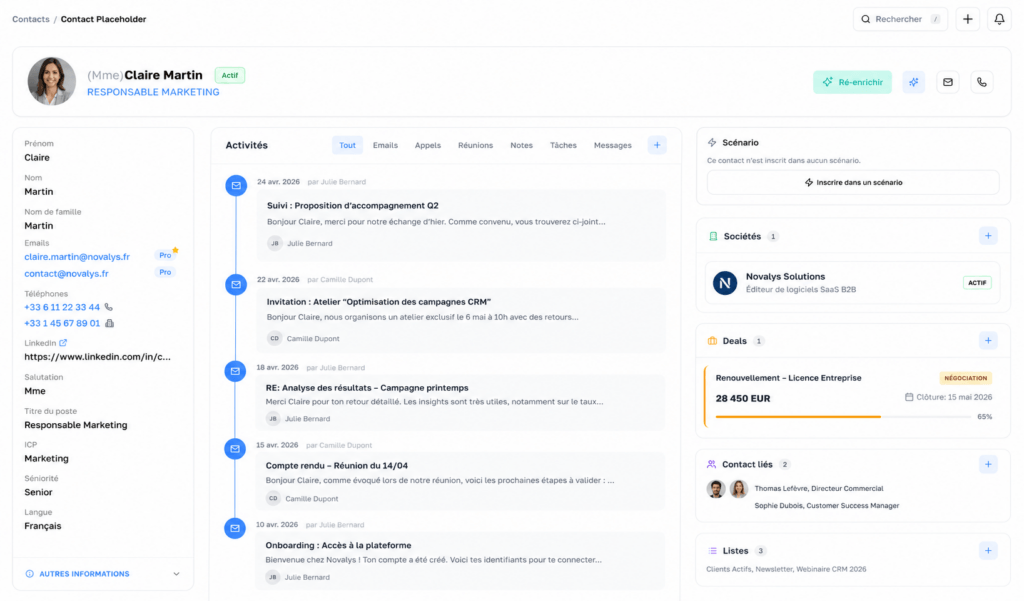
Data enrichment means automatically completing prospect records with information pulled from external sources: verified business emails, direct phone numbers, current job titles, and company data (registration number, headcount, revenue).
Why enrichment changes everything in prospecting
Without enrichment, building a list of 200 qualified prospects takes days of manual research. With an enrichment tool, the same list comes together in a few hours. The difference is not only speed. It is also quality. A verified email bounces less often, and a confirmed job title keeps you from sending off-target messages.
Company data enrichment
In France, public data sources (the SIRENE database, INSEE, INPI) provide the official information on every registered company: registration number, headquarters address, industry code, declared headcount, legal form, and executives. A company enrichment tool pulls that information automatically from a name or a registration number.
Contact enrichment
Contact enrichment delivers the professional details of individuals: verified business email, job title, LinkedIn profile. That is what lets you move from “I know which company to target” to “I know who to contact and how to reach them.”
Sequence automation tools
An email sequence is a series of scheduled messages sent automatically on a defined cadence. The goal: keep in touch with a prospect without lifting a finger for every follow-up.
What a good sequence tool should do
- Schedule 4 to 6 emails spread across 3 to 4 weeks
- Personalise each message with variables (first name, company, industry)
- Stop the sequence automatically as soon as the prospect replies
- Track open and reply rates for each step
- Blend other channels (LinkedIn, phone) into the same sequence
The most effective email sequence tools are the ones that plug straight into the CRM, so that the history of every sequence stays visible on the prospect’s record.
Automation does not replace personalisation
Automating does not mean sending robotic messages. The best results come from sequences tailored by segment: one message for CEOs of industrial SMBs, another for marketing directors at startups. Automation handles the timing and the follow-ups. The personalisation stays human.
Prospect research and identification tools
Before you prospect, you have to know who to prospect. Research tools let you filter companies and contacts against precise criteria.
ICP-based search
An ICP search tool filters companies by industry, headcount, revenue, geography, and buying signals. The output: a list of prospects that match the target profile exactly, ready to import into the CRM.
Buying signals as triggers
Hiring signals are among the best timing indicators in B2B prospecting. A company hiring a head of sales likely has budget to spend. A funding round signals fresh resources. Signals like these turn a cold call into a relevant one.
How to build your prospecting stack without overspending
The all-in-one approach vs. best of breed
Two schools of thought compete:
Best of breed: pick the best tool in each category. The result: 4 to 5 subscriptions (CRM + enrichment + sequences + search + analytics), integrations to wire up, and data scattered across several systems.
All-in-one: a single tool covering CRM, enrichment, sequences, and search. The result: one subscription, no integrations to maintain, and every piece of data in one place.
For a team of 1 to 20 reps, the all-in-one route is almost always the more effective one. The gain in simplicity and data consistency more than makes up for the marginal features you would find in specialised tools.
The hidden cost of stacking too many tools
Beyond the subscriptions themselves (which add up fast: 50 EUR here, 80 EUR there, another 30 EUR somewhere else), running too many tools creates hidden costs:
- Integrations: setting up and maintaining connections between tools (Zapier, APIs, CSV imports)
- Training: every tool has its own learning curve
- Data silos: history is fragmented across systems, no one has the full picture
- Duplicates: the same contact lives in 3 tools with 3 different sets of details
What a smaller company should prioritise
The minimum viable setup for effective B2B prospecting:
- A CRM with a visual pipeline (non-negotiable)
- Data enrichment (saves hours of manual research)
- Automated email sequences (keeps follow-ups consistent)
Everything else (advanced analytics, intent data, predictive scoring) can wait until the basics are humming and the volume actually justifies it.
Some B2B CRMs bundle those three functions into one subscription: enrichment on French public data (SIRENE, B2B contacts), multi-channel email sequences, and a sales pipeline. That is the simplest way to get started without stacking tools and costs.
Selection criteria: the checklist before you buy
| Criterion | Why it matters |
|---|---|
| French public data (SIRENE, INSEE) | Reliable enrichment for companies based in France |
| Built-in email sequences | No need for a separate emailing tool |
| Transparent pricing | Public prices, no hidden add-ons or credits |
| Hosted in France | GDPR compliance and trust from French prospects |
| Native email sync | Fast issue resolution, unified inbox |
| Import from Excel | Easy migration from existing tools |
| Gmail / Outlook sync | Email history builds itself in the background |
| Free trial, no card required | Test with real prospects before committing |
A tool that ticks every one of those boxes covers 90% of what a smaller company needs for sales prospecting. Everything else is a nice-to-have.
Frequently asked questions about sales prospecting tools
How much does a sales prospecting tool cost?
Prices range from zero (limited free CRMs) to more than 150 EUR per user per month for full-featured solutions. A B2B CRM with built-in enrichment and sequences typically lands between 50 and 100 EUR per user per month. An all-in-one tool often works out cheaper than three separate ones.
Do you need a dedicated prospecting tool, or is a CRM enough?
A CRM that bundles prospecting features (data enrichment, email sequences, prospect search) covers 80% of what a smaller company needs. A dedicated prospecting tool can round out the CRM for high-volume teams, but it is not required to get started.
Is a French CRM better for prospecting in France?
A CRM that taps into French public data (the SIRENE database, SIREN/SIRET registration numbers) delivers higher-quality enrichment for France-based companies. The data is fresh, the formats are right (addresses, legal form, headcount), and hosting inside France simplifies GDPR compliance.
To structure your approach before choosing your tools, see our guide Sales prospecting plan: 7 steps. For techniques specific to B2B, read B2B sales prospecting: techniques and best practices.
To dig into what Charik actually includes: the Features page details the native modules (pipeline, enrichment, sequences, ICP, signals, quotes, reporting, and more).
To dig into native company enrichment inside Charik: the Company enrichment page details the data pulled automatically (registration numbers, industry code, headcount, revenue, executives).
For contact enrichment (verified business emails, job titles, LinkedIn) included in Charik: the Contact enrichment page.